Integrating Project-Based Learning in Blended Environments: A Practical Guide for Grades 3–7
Project-based learning and blended instruction are each powerful on their own. Together, they create something most classrooms rarely achieve: sustained, meaningful inquiry that meets students where they are — developmentally, academically, and logistically. This guide is written for teachers and administrators at schools like Kaʻu Learning Academy who are ready to move beyond the theoretical and start building something real.
Why PBL and Blended Learning Are a Natural Fit
Project-based learning and blended learning align naturally because both are built around flexible pacing, student choice, and purposeful use of time. PBL's inquiry-driven structure needs space — time to explore, reflect, revise, and present. Blended learning creates that space by distributing instruction across in-person and digital modalities.
Traditional PBL in a fully face-to-face setting often struggles with a familiar problem: not enough time. Teachers feel pressure to cover content, and extended project cycles get compressed or abandoned. Blended environments solve this by allowing students to build background knowledge asynchronously — watching an instructional video, reading a digital text, completing a research task — while reserving in-person time for the collaborative, high-stakes work that genuinely benefits from a teacher in the room.
There's also a deeper pedagogical resonance. Both models position the teacher as a designer and facilitator rather than a sole deliverer of information. Both require students to take ownership of their learning process. Student agency — the ability to make meaningful decisions about how, when, and what to learn — is a goal of PBL and a structural feature of well-designed blended instruction. That overlap isn't incidental; it's the foundation of effective integration.
Understanding the Blended Learning Models That Support PBL
The rotation model and the flex model are the two blended structures most compatible with project work at the elementary and middle school levels. Choosing between them depends on your classroom setup, your students' independence levels, and how much of the project cycle happens in school versus at home.
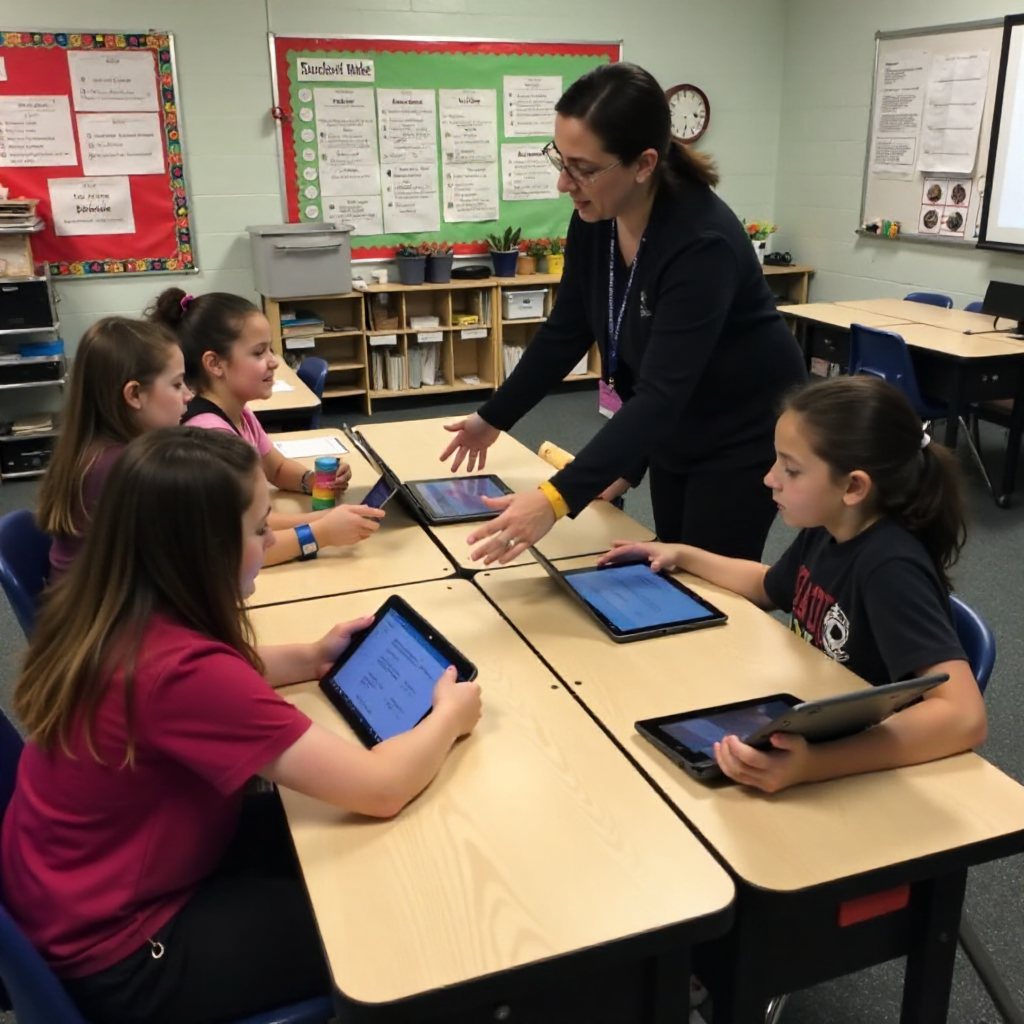
In a learning stations rotation, students move through defined activities — one station might involve direct instruction with the teacher, another involves digital research or a learning management system task, and a third involves hands-on project work with peers. This structure works especially well for grades 3–5, where students benefit from clear boundaries and adult proximity during transitions.
The flex model gives students more control over their path and pace. A teacher sets up a menu of project-related tasks — some digital, some physical — and students move through them based on their readiness and progress. This suits grades 6–7 better, where learners can handle more self-direction. That said, even older students need scaffolding; a flex model without clear checkpoints tends to drift.
A small charter school doesn't need sophisticated infrastructure to run either model. A few devices, a reliable LMS like Google Classroom or Seesaw, and a thoughtfully designed project cycle are enough to get started.
Designing a PBL Unit for a Blended Setting
Effective blended PBL starts with a well-crafted driving question — an open-ended, compelling prompt that anchors the entire unit. A strong driving question is specific enough to focus inquiry but open enough to allow multiple valid approaches. For a 5th-grade science unit at Kaʻu Learning Academy, that might look like: "How can our community use local natural resources more sustainably?" The question should feel genuinely answerable by students, not just by experts.
Once the driving question is set, map the project cycle across your blended schedule. A useful framework is the four-phase PBL cycle:
- Launch — Introduce the driving question, build curiosity, establish what students already know. Best done in-person.
- Build knowledge — Students research, watch curated videos, read texts, and gather information. This phase is well-suited to asynchronous digital work.
- Develop and critique — Teams draft, prototype, and receive feedback. Requires synchronous collaboration, either in-person or via video.
- Present and reflect — Students share their work and evaluate their process. In-person presentation with digital documentation works well here.
The key design decision is intentionality: don't assign digital tasks just because the technology is available. Ask what each modality does best, then match the task to the medium. Asynchronous digital work is ideal for individual knowledge-building; face-to-face time is irreplaceable for negotiating ideas, resolving conflict within teams, and building the relational trust that makes collaboration productive.
Keeping Students on Track: Pacing, Agency, and Accountability
Maintaining momentum in a blended PBL unit is one of the hardest practical challenges teachers face. Student agency is a goal, but without structure, it can slide into drift — students who feel lost or unmotivated simply stop moving forward.
The most effective approach is a project roadmap: a visible, student-facing document (physical or digital) that breaks the project into weekly milestones. Each milestone has a clear deliverable — a completed research note, a draft outline, a peer feedback session — so students and teachers always know where progress stands. In a blended setting, this roadmap lives in your LMS so it's accessible regardless of where students are working.
Brief daily check-ins, even five minutes at the start of a class session, do more to sustain momentum than any single intervention. Ask students to name one thing they completed since the last session and one obstacle they're facing. This habit builds metacognitive awareness and gives teachers real-time data without requiring formal assessment.
For grades 3–4, consider assigning a "project keeper" role within each team — a rotating responsibility for tracking the group's progress on the roadmap. Older students in grades 6–7 can manage individual digital logs in the LMS, noting what they worked on, what decisions they made, and what they plan to do next.
Assessing Project Work in a Blended Environment
Formative assessment in blended PBL works best when it's embedded in the project cycle rather than added on top of it. The goal is to gather evidence of learning continuously — not to interrupt the work, but to inform it.
Digital tools make this more manageable than it sounds. Students can submit short video reflections, annotated drafts, or exit tickets through the LMS at the end of each work session. Teachers review these asynchronously and respond with targeted feedback before the next in-person session — a feedback loop that would be logistically difficult in a traditional classroom but is natural in a blended one.
Peer feedback is another underused asset. Structured peer critique protocols — where students use a specific framework to give feedback on a teammate's draft — build critical thinking skills and reduce the teacher's assessment load simultaneously. For grades 3–5, keep the protocol simple: "One thing that's working, one question I have." Older students can handle more nuanced rubric-based peer review.
Summative assessment should evaluate both the product and the process. A final project rubric that includes categories for research quality, collaboration, and reflection — not just the finished artifact — gives a more accurate picture of what students actually learned.
Differentiating PBL for Grades 3–7 Learners
Differentiation in blended PBL means adjusting the complexity of the task, the level of scaffolding, and the degree of student independence — not creating entirely different projects for different students. The driving question stays the same; the path to answering it varies.
For grades 3–4, provide more structure at every phase. Pre-selected research sources, sentence frames for written work, and clearly defined roles within teams reduce cognitive load and keep younger students focused on the inquiry rather than the logistics. Digital tools should be simple and familiar — a platform students have already used for other purposes.
Grades 5–6 can handle more open-ended research and greater choice in how they present their findings. Introduce peer feedback at this level, and begin building habits around digital documentation and self-assessment.
By grade 7, students are ready for genuine complexity: choosing their own research questions within the broader driving question, managing longer project timelines, and producing work for an authentic audience beyond the classroom. The teacher's role shifts further toward coaching and less toward directing.
Across all grade bands, watch for students who struggle with the open-endedness of PBL — this is common and not a sign of low ability. A brief individual conference, a more structured version of the roadmap, or a temporary reduction in team size can re-engage a student who's feeling overwhelmed.
Getting Started at Your School
The most practical first step is a single, well-designed pilot unit — not a school-wide rollout. Choose one class, one driving question, and one project cycle of four to six weeks. Keep the blended component simple: one digital platform, one asynchronous task per week, and clear in-person time for collaboration and feedback.
At Kaʻu Learning Academy and schools like it, the community itself is often the richest resource. A driving question rooted in local place — the land, the history, the challenges and assets of the community — gives students a reason to care that no textbook prompt can replicate. That authenticity is what makes PBL stick.
After the pilot, debrief honestly with your team. What did students produce that surprised you? Where did momentum stall? What would you change about the blended structure? One completed cycle, examined carefully, teaches more than any professional development workshop. Build from there.
For schools exploring the research base behind these approaches, the Edutopia PBL resource library offers practitioner-tested frameworks and classroom examples that translate well to small school contexts.
Frequently Asked Questions
What is the difference between project-based learning and problem-based learning in a blended setting?
Project-based learning centers on creating a tangible product or presentation in response to a driving question; problem-based learning focuses on diagnosing and solving a defined problem, often without a public artifact. In blended settings, both use digital tools for research and communication, but PBL typically involves a longer cycle and a more visible final product. For grades 3–7, PBL tends to be more accessible because the product gives students a concrete goal to work toward.
How much class time should be dedicated to PBL versus direct instruction in a blended model?
There's no universal ratio, but a common starting point is 60–70% of in-person time devoted to project work and collaboration, with direct instruction delivered asynchronously or in short targeted sessions. The blended structure is designed to make this shift possible — students build foundational knowledge digitally so that face-to-face time can go toward application and inquiry.
How do teachers facilitate collaboration when students are working asynchronously?
Structured protocols matter more than the platform. Assign specific asynchronous tasks with clear deadlines, use shared digital documents so team members can see each other's contributions, and build in brief synchronous check-ins — even a 10-minute video call — to maintain relational connection. For younger students, asynchronous collaboration works best when roles are clearly defined and tasks are short enough to complete in a single sitting.
What digital tools work well for managing student projects in grades 3–7?
Seesaw is well-suited for grades 3–5 because of its visual interface and family communication features. Google Classroom works well for grades 5–7, especially for document sharing and assignment tracking. For project documentation, tools like Padlet or simple shared Google Slides allow teams to build a visible record of their work over time. The best tool is the one your students already know — switching platforms mid-project costs more time than it saves.
How can a small or rural charter school implement PBL without extensive resources?
Start with what you have. A driving question costs nothing. A shared set of classroom devices, even if limited, is enough for rotation-based blended work. The community surrounding a rural school — its landscape, its people, its local challenges — is a project resource that larger urban schools can't replicate. Lean into that specificity. Small class sizes, often seen as a constraint, are actually an advantage in PBL: teachers can confer with every team, every day, in ways that aren't possible in a class of 30.